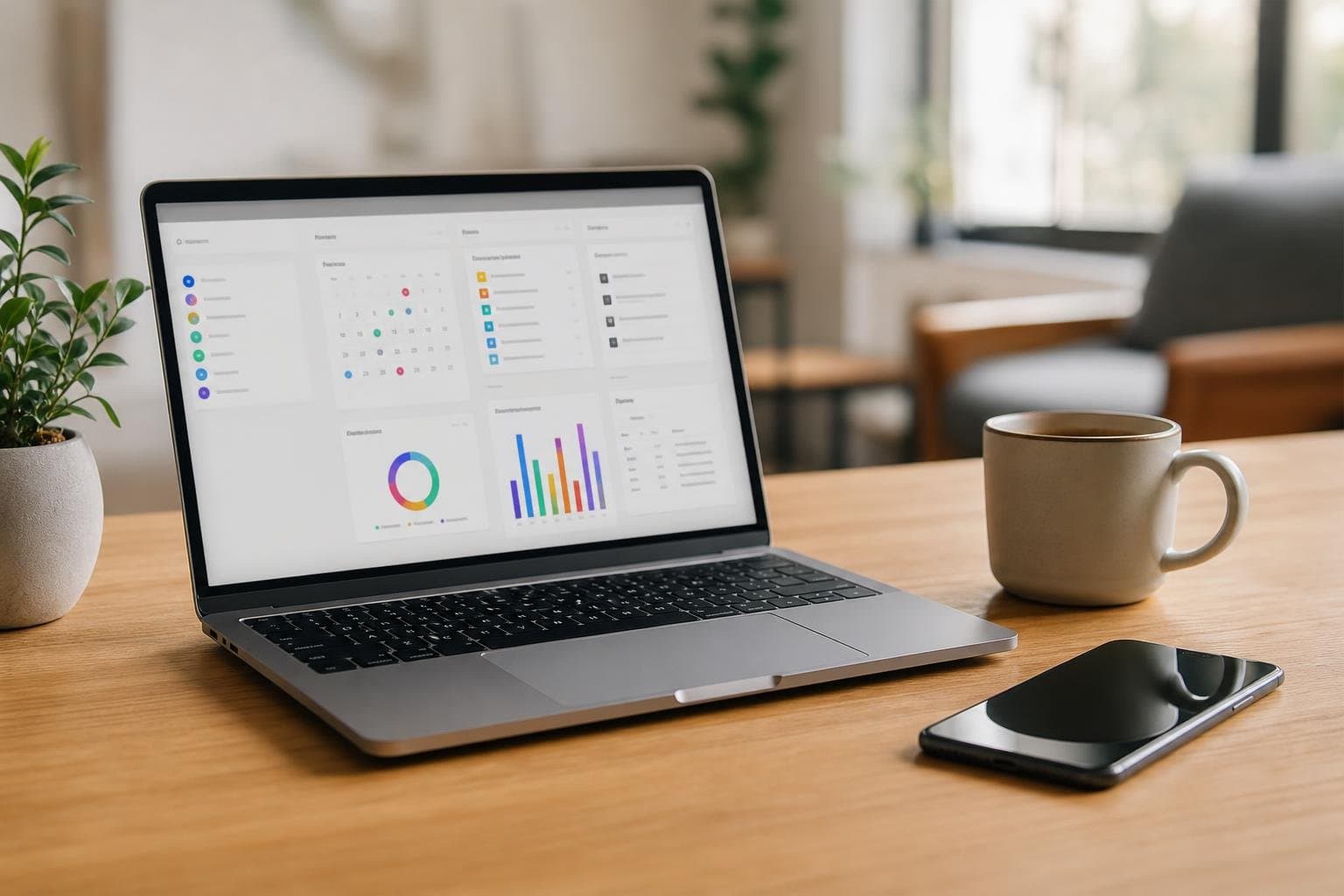
Scattered tools break your concentration before your workday even begins. Finding an effective all in one productivity app for web and iOS means you can plan your day at your desk and execute smoothly from your pocket. At Tupp, we built our platform to eliminate context switching by uniting your focus timer, habit tracking, and daily checklists across your computer, iPhone, and Apple Watch.
The Cost of a Fragmented Productivity Setup
Most people rely on separate applications for task management, habit building, and time tracking. You open a browser tab to check a project board, tap your phone to start a separate timer, and consult a third app to check off a morning routine.
Every transition creates friction. Research into cognitive load shows that switching between disjointed interfaces interrupts working memory and invites digital distractions. When your tools live in silos, you spend more mental energy maintaining your system than completing your actual work.
A single system bridges the gap between high-level planning and immediate execution. Instead of managing logins, notification settings, and data across three distinct services, an integrated platform preserves your momentum from morning until night.
Core Features to Look for Across Web and Mobile
A complete system must do more than just replicate a mobile screen inside a web browser. It should provide specific strengths depending on the device in front of you.
On the web, you need clear dashboards, weekly planning views, and space to organise recurring commitments. On iOS, you require instant capture, glanceable progress, and controls that help you put the phone down and protect focus.
| Feature | Web Workspace Role | iOS & Apple Watch Role |
|---|---|---|
| Daily Checklists | Structure daily routines and set task reminders | Quick check-offs via interactive homescreen widgets for tasks |
| Focus Timer | Monitor full deep-work sessions and review trends | Glanced via Live Activities, lock screens, and Dynamic Island |
| Habit Tracking | Analyse monthly consistency and streak patterns | One-tap logging and occurrence counting on the go |
| Team Dashboards | Centralise activity libraries and member seats | Individual progress capture without interrupting workflow |
When your web dashboard and mobile app stay in lockstep, you never have to reconcile what you planned on your laptop with what you completed while away from your desk.
Bridging Deep Work at Your Desk with Action on the Go
Your desk setup on the web provides the bird's-eye view. When you sit down in the morning, you review your schedule, map your critical tasks, and prepare your workspace. You can configure your recurring daily checklist with specific reminders to keep your schedule predictable.
Once work starts, your mobile interface takes over without demanding your full attention. Through our live activity focus timer app features, your active session shows on your iPhone lock screen or Dynamic Island. You do not need to unlock your phone, navigate an interface, or risk falling down a social media rabbit hole just to see how much time remains.
The Mobile Handoff
When a session ends, your phone alerts you gently. You log the interval, confirm the item on your checklist, and step away from your desk. The web dashboard captures the completed block instantly. Whether you review your numbers on a monitor or check your wrist, your data remains identical.
Maintaining Habits and Routines Without Data Silos
Building long-term discipline requires clear feedback. When your habit tracker is isolated from your daily to-do list, habits become an afterthought rather than part of your primary daily schedule.
Unifying these disciplines lets you manage routines alongside urgent tasks. Your morning routine, health commitments, and creative habits sit directly beside work objectives. Logging an occurrence takes a single tap on your iPhone screen or a quick click in your web workspace.
Long-term consistency relies on visual feedback. Using a 30 day habit tracker pattern view allows you to spot gaps in execution across the month. Seeing your clean days and streak records on both desktop and mobile reinforces your progress and keeps your momentum steady.
How Teams Benefit from Cross-Platform Productivity
Workplace teams experience fragmented tooling on a larger scale. When members use differing timers, personal spreadsheets, and individual to-do apps, leadership loses visibility into capacity and output.
Adopting unified software through Tupp for Teams resolves this by standardising how work gets tracked across all platforms. Organisations gain centralised seat management and shared activity libraries, ensuring everyone operates under a consistent structure.
Team members run focus sessions on their preferred hardware, whether sitting at a browser workstation or using an iPhone on the move. Administrative controls protect company workflows while providing clear, aggregated insights into team effort without invasive micromanagement.
Selecting the Right Solution for Your Daily Routine
Choosing the right platform comes down to how smoothly it fits your operating system and personal work habits. Evaluate software based on its synchronization speed, widget support, and pricing transparency.
Essential Evaluation Checklist
- Real-Time Sync: Updates made on your phone must instantly reflect in your web browser session without manual refreshing.
- Low-Friction Inputs: Look for homescreen widgets that let you check off items or start a session in seconds.
- System Integration: Native iOS features like Apple Watch complications and Live Activities drastically reduce daily screen time.
- Clear Terms: Review Tupp pricing to identify whether free tiers or premium team features best align with your goals.
By uniting your focus timer, habit tracking, and daily planning under one roof, you spend less time organising your tools and more time producing meaningful work.
Frequently asked questions
Why should I use an all-in-one productivity app instead of standalone apps?
Standalone apps create friction because you must constantly switch interfaces and manage separate logins. An all-in-one app unifies your focus timer, habits, and tasks so your planning on the web matches your execution on your iPhone.
Can I use the app on the web without an iPhone?
Yes. The web platform provides full access to routine scheduling, time tracking, habit logs, and daily checklists directly from your desktop browser, allowing you to organise your day from any computer.
How does cross-platform synchronisation work during a focus session?
When you start a session on the web or your iPhone, your data updates instantly across your account. You can track elapsed intervals on your desktop or glance at the countdown via mobile widgets and lock screen displays.
Does Tupp support team productivity tracking across web and iOS?
Yes. We offer dedicated organisational features including administrative controls, seat management, and shared activity libraries so teams can track deep work and maintain consistent focus routines across both platforms.
 Descargar en la App Store