Focus, habits, tasks.All locked in.
Tupp is a discipline and productivity app built for people who want real control of their time. Focus sessions, time tracking, daily checklist, habit tracking, routines, and homescreen widgets — one system, every screen.
DownloadMore than a timer.
01
Focus in Rooms
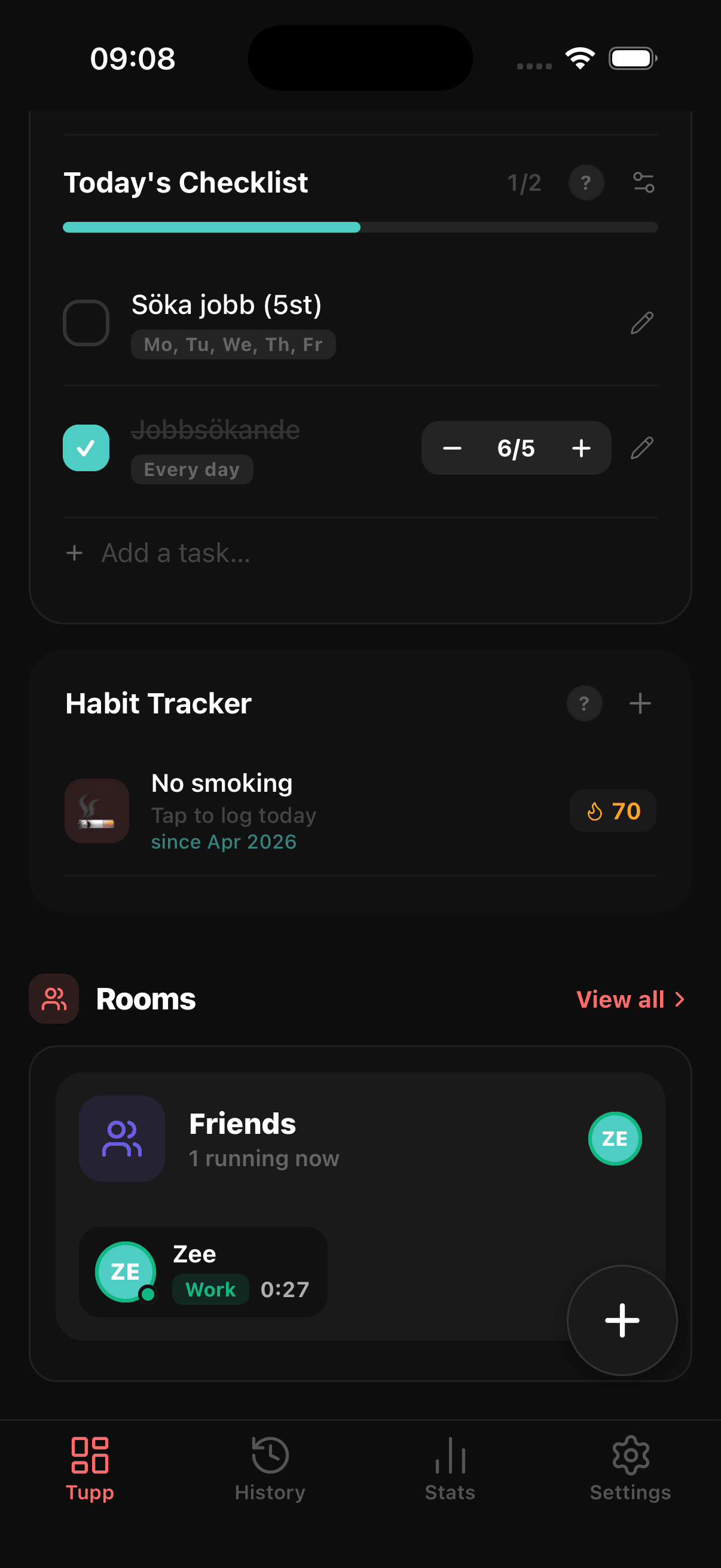
Join a room with friends or your team. See who's locked in right now, climb the weekly leaderboard, and let friendly pressure keep everyone consistent.
02
XP & levels
Every verified minute of focus earns XP. Level up, keep streaks alive, and watch discipline turn into visible progress.
03
Flexible routines
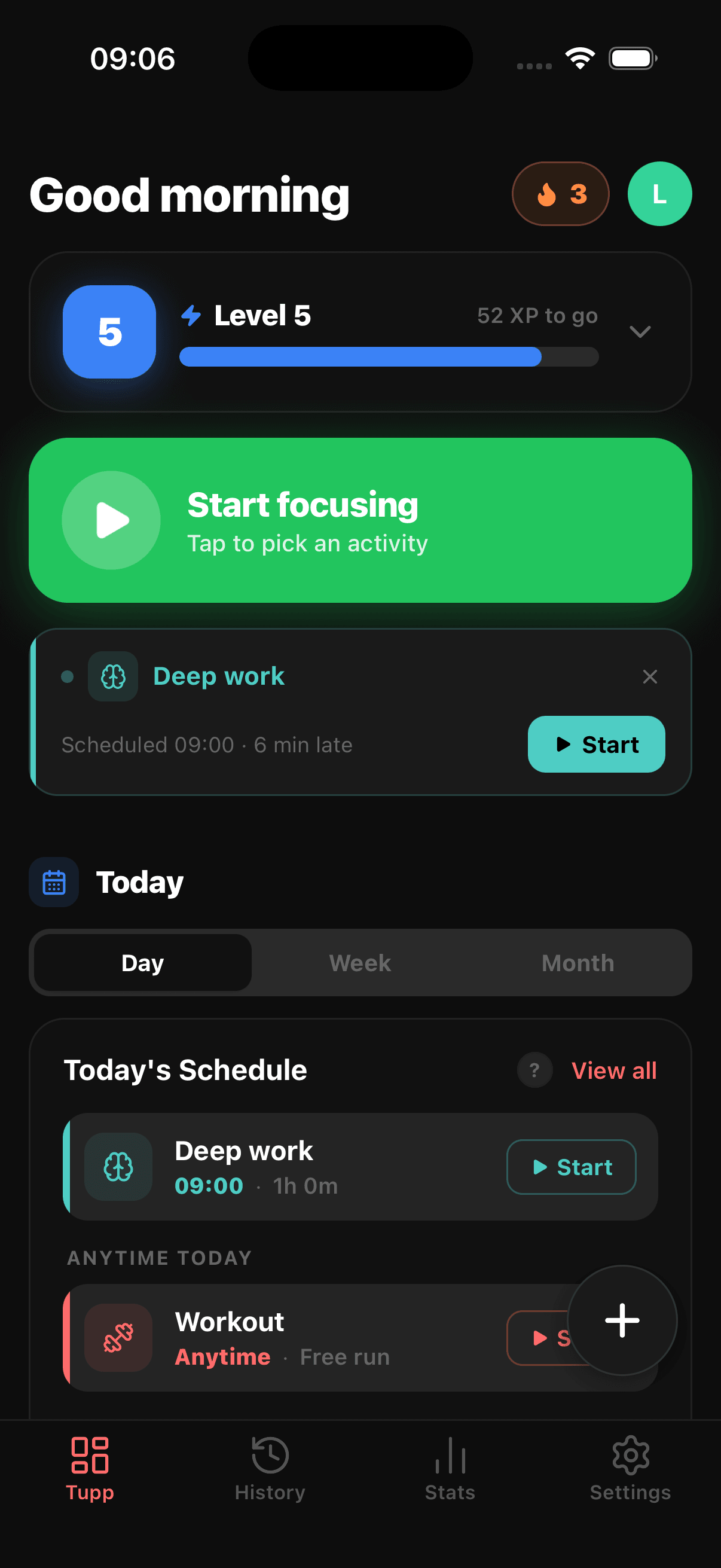
Schedule activities at fixed times or leave them anytime-today. Start early or finish late — Tupp credits the work either way.
04
Breaks that end themselves
Take a break and Tupp resumes you at exactly the right moment — server-side, even if the app is closed.
Four screens. The whole system.
The daily loop.
See your whole day at a glance
Open Tupp and your day is already laid out — upcoming routines, today's checklist, habits to log, and a quick-start timer. One screen. No switching between five apps.
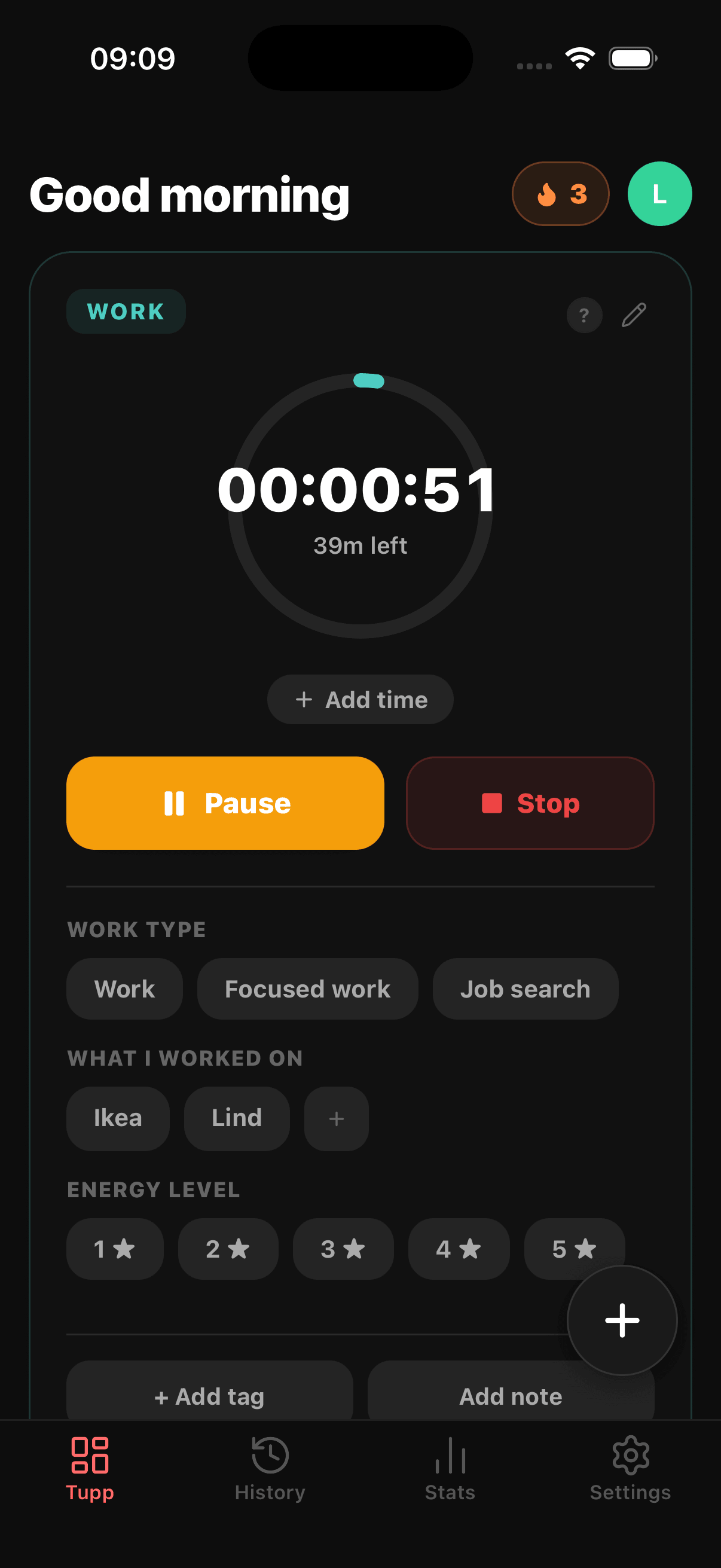
Lock in with a focus session
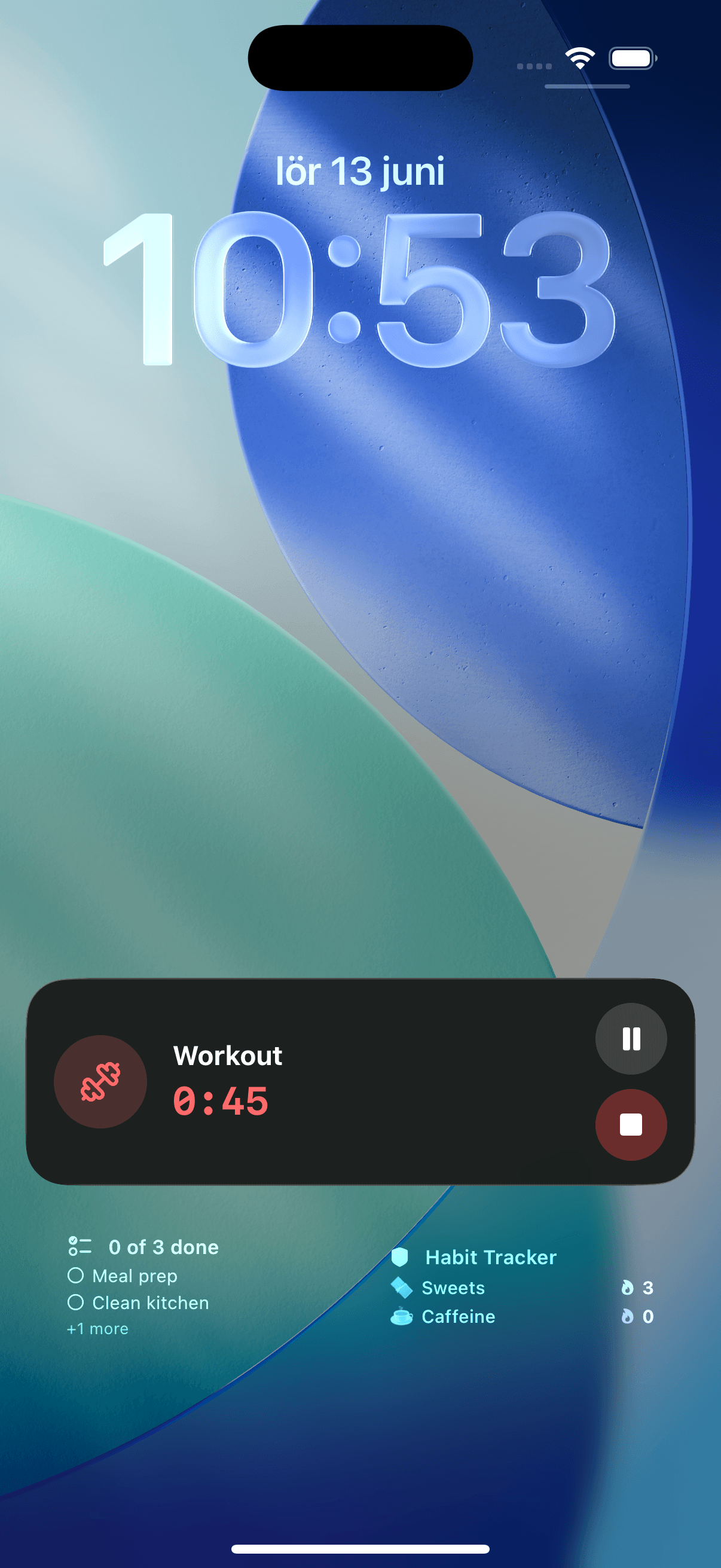
Tap once to start. Your timer runs live on the lock screen, Dynamic Island, and Apple Watch. Add tags, notes, and a session checklist as you work — every second tracked without reopening the app.
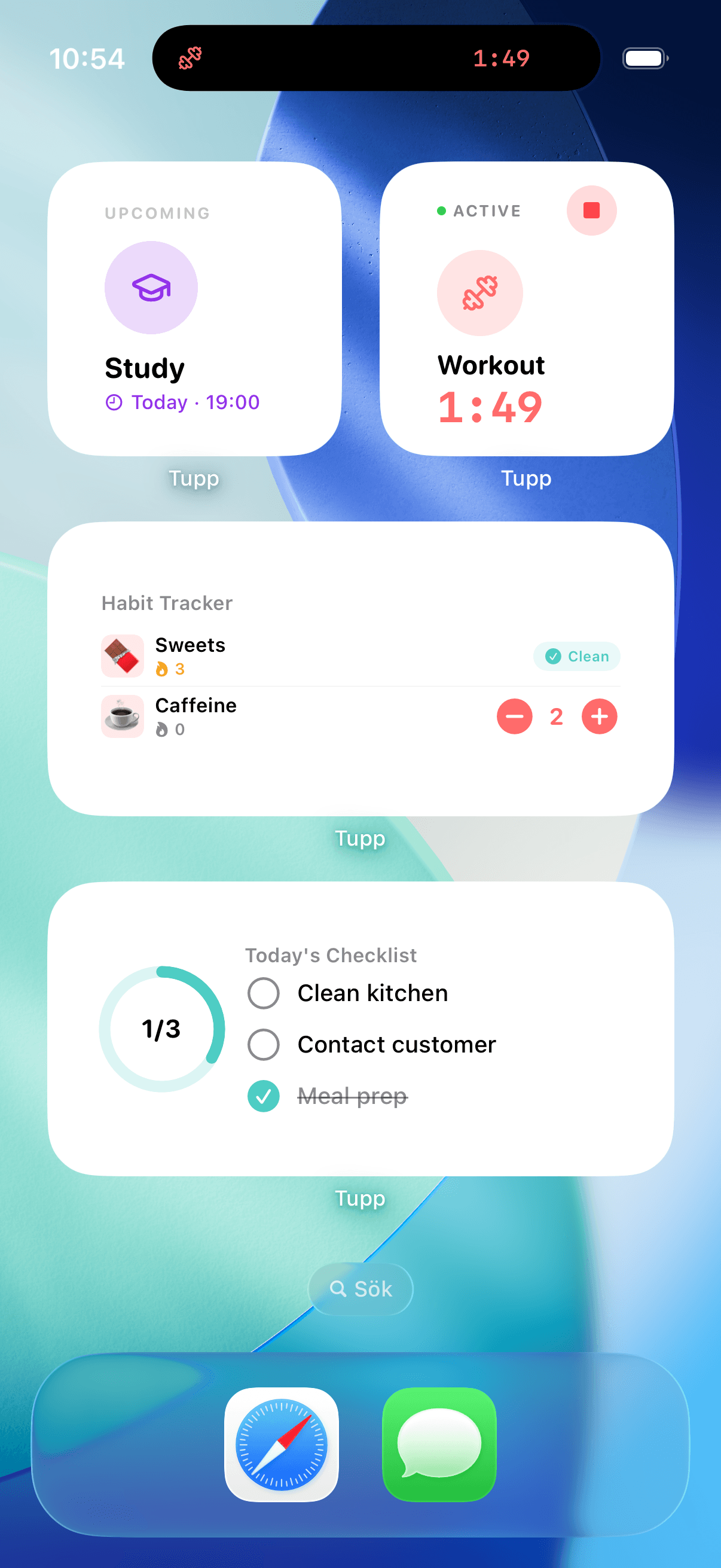
Check off tasks and track habits from your homescreen
Recurring daily tasks with per-item reminders. Habit tracking with streaks and counts. Homescreen widgets that sync your in-app priorities — complete tasks and log habits without ever opening the app.
Everything in the app.
Focus timer
One tap to start. Live Activity on the Dynamic Island, lock screen, and Apple Watch — the whole session, without ever reopening the app.
Time tracking & stats
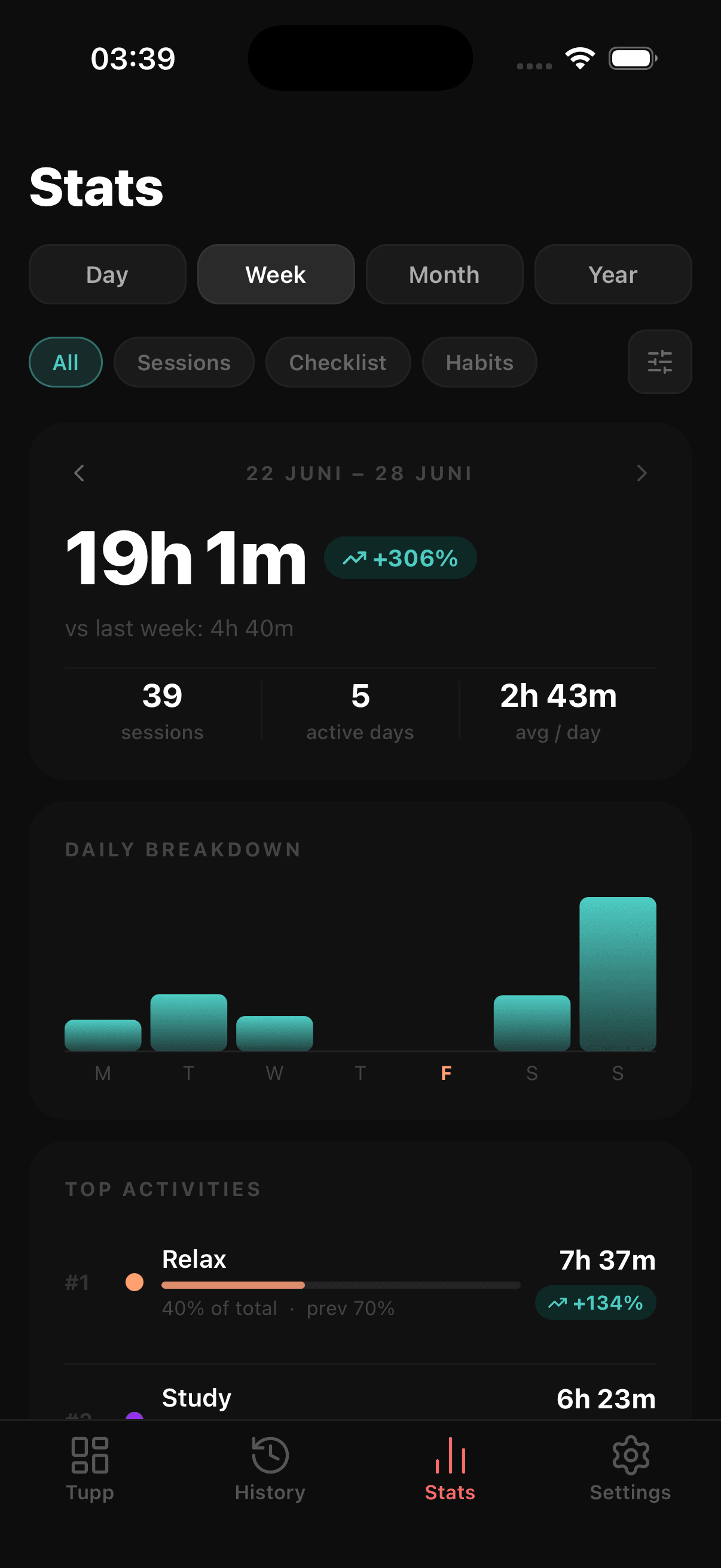
Every session logged with start time, end time, and active minutes. Weekly productivity score, daily breakdowns, and full calendar history.
Routine scheduling
Schedule recurring sessions for any activity on any day. Tupp sends a reminder at the time you chose — when you were thinking clearly, not mid-distraction.
Daily checklist
Recurring tasks that reset each morning on the days you need them. Set a reminder per item — the right nudge at exactly the right moment.
Habit tracker
Two modes: log every occurrence, or commit to a clean day and track your streak. A 30-day dot calendar shows your pattern at a glance.
Rooms — focus together
Study, work out, or grind together. Create a room, invite friends, see who's live right now, and climb the weekly leaderboard.
XP & levels
Verified focus earns XP. Level up, protect your streak, and turn discipline into visible progress.
Homescreen widgets
Check off tasks and log habits directly from your homescreen — no app needed. Widgets sync your in-app sort and filter so your top priorities are always front and centre.
Apple Watch app
Full native app on your wrist. Start, pause, or stop sessions without touching your phone. See your running timer and productivity score at a glance.
Session notes & custom fields
Add notes, tags, and structured fields to any session. Log which exercises, what you shipped, how it felt — whatever details matter to you.
Pause & resume
Pause when interrupted. Active time is tracked separately from paused time so your stats stay accurate.
Multiple profiles
Separate profiles for work, personal, and side projects — each with its own activities, checklist, habits, history, and stats.
Light & dark mode
Full support for light and dark theme. Follows your system setting automatically.
Sign in your way
Sign in with Apple, Google, phone number, or email. Your data syncs across iPhone, Apple Watch, and the web automatically.
Multiple languages
English, Norwegian, Swedish, Danish, Spanish, and Portuguese. More coming.
Discipline over motivation
Motivation is unreliable. Tupp is built around systems — streaks, schedules, and honest numbers that pull you forward even on the days you don't feel like it.
No friction
One tap to start a session. Slide to complete a task. One touch to log a habit. Every design decision removes a step between intention and action.
Built by people who use it
Made by a team that uses Tupp every day. Updates ship based on what actually matters — real feedback, real usage, no corporate roadmap.
Free to lock in.
Sign in with Apple, Google, phone, or email. Focus sessions, daily checklist, and habit tracking — start in seconds.
DownloadiOS 16.2 and later