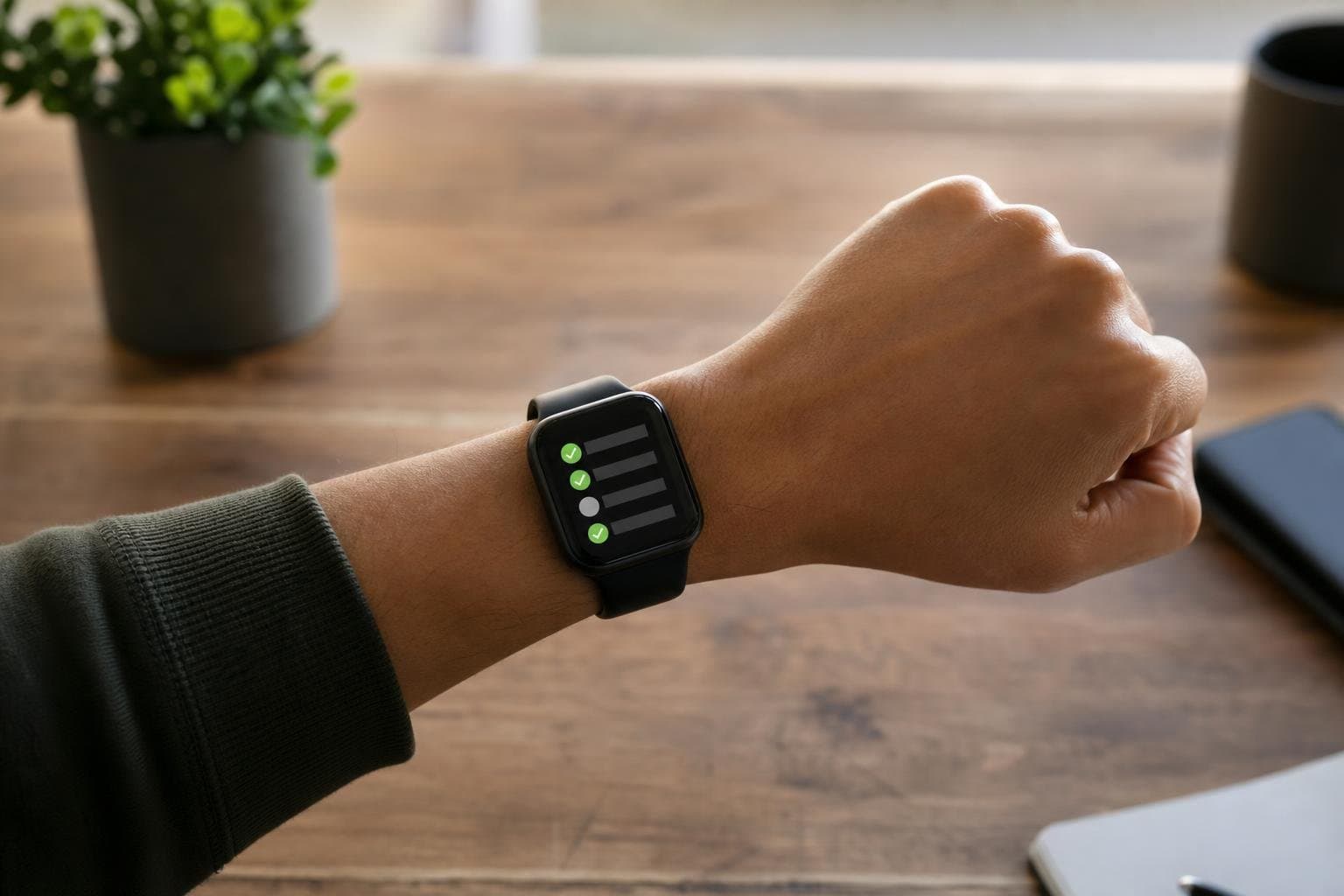
Using a daily checklist app for Apple Watch keeps your routine visible without requiring you to constantly pull out your phone. When tasks live directly on your wrist, you stay aware of your commitments throughout the day while avoiding the notifications and distractions that come with standard mobile devices.
Why Your Wrist is the Best Place for a Checklist
Your wrist is always accessible, making it the most frictionless interface for managing quick tasks. Checking items off during a busy workday or while moving between locations takes less than a second. Traditional paper lists get lost or buried on a desk, and phone apps require unlocking the screen and wading through unrelated notifications. An Apple Watch application delivers immediate utility. You glance down, confirm a completed task, and move on immediately. This speed protects your momentum and ensures small habits do not slip through the cracks of a chaotic schedule.
Key Features to Look for in a Wrist Checklist
Not all wearable applications handle routine management effectively. A reliable tool must balance brevity with functionality so you can read items clearly on a compact display. Here are the core elements required for an effective wrist-based workflow:
- Recurring tasks: Items that reset automatically every morning so you do not have to rebuild your list daily.
- Individual reminders: Custom alerts set per item to prompt you at specific times of the day.
- Seamless synchronization: Instant updates across your iPhone, Apple Watch, and the web.
- Clean typography: High-contrast text and simple tap targets that remain legible in bright sunlight.
Integrating Checklists with Time Tracking and Focus Sessions
A checklist alone only tells you what to do; it does not protect the time required to complete those tasks. High performers combine their daily routines with structured time management methods. When you finish a checklist item, transitioning directly into an active timer prevents idle scrolling. Maintaining this tight loop between planning, execution, and review is the primary driver of consistent output. If your tasks require deep concentration, pairing your schedule with dedicated focus sessions ensures you allocate sufficient uninterrupted hours to heavy workloads.
Building Sustainable Daily Routines
Success relies on repetition rather than sheer willpower. Designing a daily schedule requires separating critical administrative tasks from creative or high-impact work. Place routine maintenance items early in the day to build momentum. Utilize your homescreen widgets and wearable complications to review progress at a glance. As your routines solidify, you will notice a sharp reduction in decision fatigue. Knowing exactly what comes next eliminates the friction of starting tasks.
Managing Personal Tasks Versus Team Responsibilities
Individuals and teams approach productivity differently, but both require structure to hit their targets. Personal users benefit from minimalist layouts focused on habit formation and self-discipline. Organizations, however, need visibility across shared workflows. Utilizing platforms like Tupp Business allows teams to maintain shared activity libraries and administrative oversight while keeping individual workflows streamlined. Whether you are managing personal fitness goals or coordinating projects across multiple departments, having a centralized system keeps everyone aligned.
Frequently asked questions
Can I use the daily checklist app without my iPhone nearby?
Yes. Modern implementations sync data locally to your device, allowing you to check off items and view your schedule even when your phone is out of range.
How do recurring tasks reset?
With a structured daily checklist system, items automatically reset every morning according to your predefined schedule, ensuring a fresh start each day.
Does checking items off my watch update my phone and computer?
Yes. All actions sync instantly across your iPhone, Apple Watch, and web dashboard to maintain a single source of truth for your schedule.
Can I set specific reminders for individual tasks?
Yes. You can attach custom notification times to specific items so your watch prompts you precisely when an action needs to be taken.
 Download on the App Store